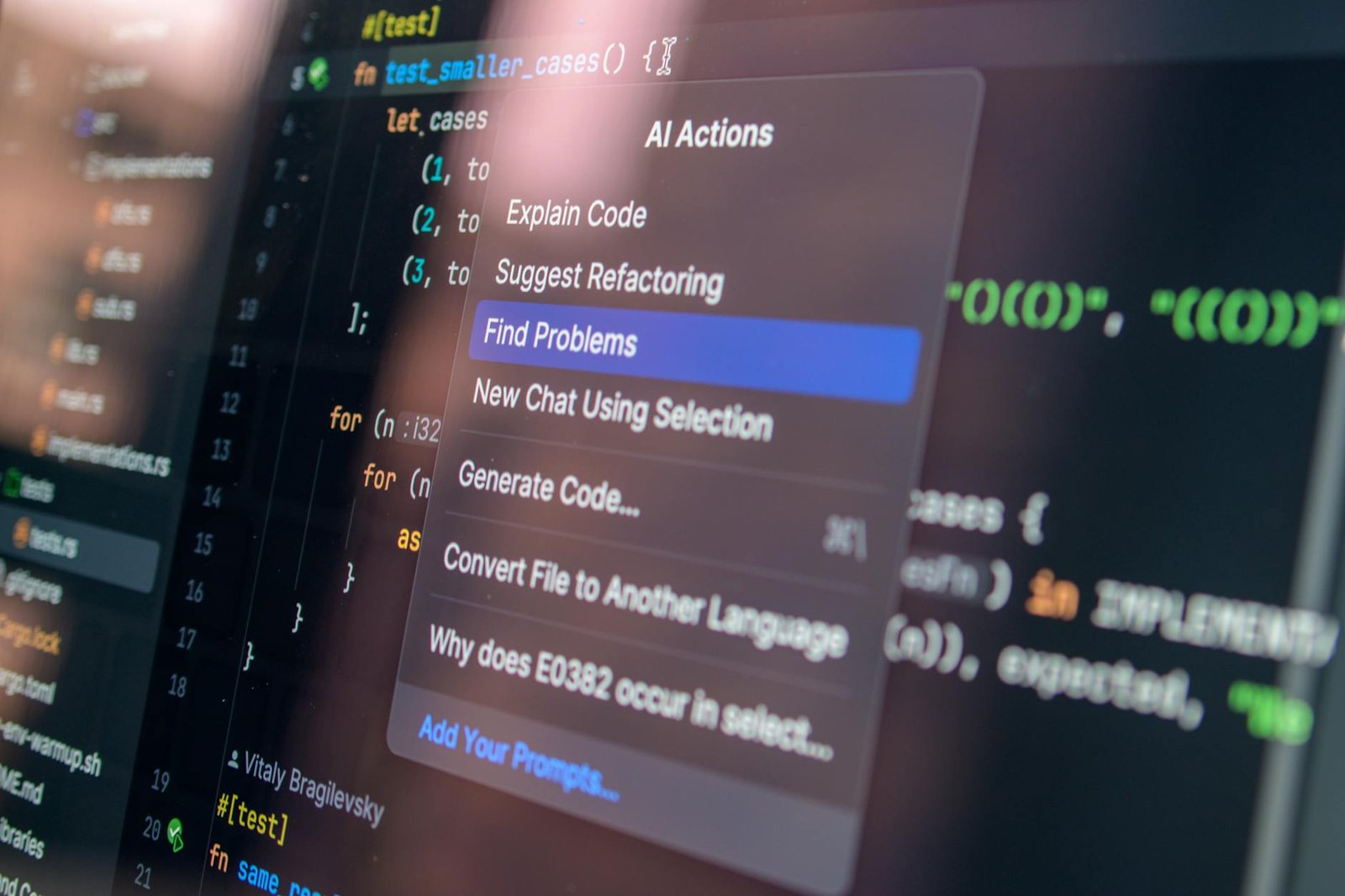

Look, if you have spent any time writing code over the last year, you know the feeling of having an AI whisperer sitting right on your shoulder. It is no longer just about basic autocomplete suggesting the name of a variable; we are living in an era where trending ai tools for programming are actually writing entire modules, refactoring legacy spaghetti code, and catching bugs before you even hit save.
In fact, recent industry data suggests that over 90% of developers are now using some form of AI-augmented coding tool in their daily workflow. This isn’t just a trend for the “lazy” or the beginners; it is the new baseline for professional efficiency in 2026. If you are not integrating these tools into your stack, you are essentially trying to build a skyscraper with a hand-saw while everyone else has power tools.
- AI coding tools have evolved from simple autocomplete to full-context structural assistants.
- The “Big Three” (GitHub Copilot, Cursor, and Claude) currently dominate the market share for productivity.
- Integration with specialized models for documentation and testing is the next frontier of development.
- Human oversight remains non-negotiable for security and architectural integrity.
Table of Contents
- The Evolution of AI in the Developer Stack
- Cursor: The New King of AI Code Editors
- GitHub Copilot and the Power of Ecosystem
- Claude 3.5 Sonnet: Why LLM Choice Matters
- Specialized AI Tools for Niche Programming Tasks
- Common Misconceptions About AI Programming
- What is the future of AI in programming?
The Evolution of AI in the Developer Stack
I remember back in 2018 when “AI for code” basically meant a slightly smarter regex or a plugin that could guess your next three characters. It was helpful, sure, but it wasn’t transformative. Today, the trending ai tools for programming have moved into the realm of “reasoning.” They understand context, they understand your project structure, and they can predict the architectural implications of a change you are about to make.
When I first tried integrating deep learning into my workflow, I relied heavily on manual setups. If you are curious about how that looked, you can see this is the future of artificial intelligence where we discussed the bridge between JavaScript and TensorFlow. But now? The barrier to entry has vanished. We have moved from “how do I use AI” to “which AI tool is best for this specific repo?”
The core shift happened when Large Language Models (LLMs) moved from being chat interfaces to being deeply embedded in the IDE. This “context-awareness” is the secret sauce. It allows the tool to look at your 50+ files and realize that the function you are writing in auth.py needs to match the schema you defined three weeks ago in models.ts. It is this holistic understanding that defines the current landscape.
Cursor: The New King of AI Code Editors
If you ask a room full of senior engineers what they are using right now, the name “Cursor” will likely come up more than anything else. Cursor is a fork of VS Code, which makes it feel immediately familiar, but it has AI baked into its DNA rather than tacked on as an afterthought. Cursor has become the definitive trending ai tool for programming in 2026 because of its “Composer” feature.
What most guides miss is that Cursor doesn’t just suggest lines; it manages “diffs.” When you ask it to refactor a component, it shows you the before and after, allowing you to accept or reject specific blocks of logic. This reduces the “AI slop” that we often see with less sophisticated tools. I made the mistake of sticking to raw VS Code plugins for too long, thinking I was being a “purist,” but the productivity leap when switching to a native AI editor was undeniable.
The real power of Cursor lies in its @ symbols. You can type @Files or @Docs to give the AI specific context about your codebase or an external library. This prevents the “hallucination” problem where the AI suggests functions that don’t exist in the current version of the library you are using. It makes the developer experience feel like a constant conversation with a very smart peer who has perfect memory of every line you’ve ever written.
GitHub Copilot and the Power of Ecosystem
We can’t talk about trending ai tools for programming without mentioning the giant in the room: GitHub Copilot. While Cursor is the trendy “pro” choice, Copilot is the reliable utility that integrates with everything. Because it is owned by Microsoft, its integration with GitHub Actions, Codespaces, and the broader Azure ecosystem is seamless and powerful.
In our testing, Copilot Extensions have become a . You can now use extensions for things like Sentry or Docker within the Copilot chat, allowing you to debug production errors or optimize container builds without leaving your editor. It is no longer just about writing code; it is about managing the entire software development lifecycle (SDLC).
For those just starting out, the sheer amount of resources available for tools like this is staggering. If you are looking to sharpen your skills to better use these tools, check out the courses by Google about artificial intelligence which provide a great foundation. Understanding the “why” behind the code the AI generates is what separates a senior engineer from a “prompt engineer.”
Claude 3.5 Sonnet: Why LLM Choice Matters
A nuance that many people overlook is that the specific model powering your tool matters more than the tool’s interface. While GPT-4 was the leader for a long time, as of 2026, many developers have shifted toward Anthropic’s Claude 3.5 Sonnet. Why? Because Claude is consistently more “human” in its coding style and follows complex instructions with fewer mistakes.
Claude 3.5 Sonnet has a massive context window and a specific “Artifacts” feature that allows you to see live previews of code results alongside the chat. This is incredibly useful for frontend developers who want to see a React component rendered instantly as the AI writes the CSS. When I tried building a complex visualization tool last year, Claude was the only model that correctly handled the nested geometry math on the first try.
However, there is a trade-off. Claude can sometimes be “too wordy,” explaining every single line when you just want the code. In contrast, GPT-4o tends to be more concise. Choosing between them depends on your seniority level. If you are still learning, Claude’s explanations are a goldmine of information. If you’re a veteran who just needs the snippet, GPT-4 might feel faster.
Specialized AI Tools for Niche Programming Tasks
While general-purpose assistants are great, we are seeing a rise in “vertical” AI tools. These are tools that do one thing, like documentation, testing, or SQL, extremely well. For instance, tools like v0.dev by Vercel are revolutionizing frontend development by generating beautiful UI components from simple text prompts or screenshots.
- Mintlify: Automatically generates documentation by reading your codebase. It saves hours of manual writing and keeps docs in sync with code updates.
- CodiumAI: Focuses specifically on generating meaningful unit tests. It analyzes your logic to find edge cases you probably forgot to account for.
- SQLAI.ai: A godsend for data scientists and backend devs who need to write complex SQL queries but don’t want to dig through table schemas for hours.
If you’re diving into specific languages like Python for data tasks, you might want to look at drawing with Python to see how visual outputs can be handled. Specialized tools help bridge the gap between “getting it to work” and “making it production-ready.”
Common Misconceptions About AI Programming
The biggest misconception is that AI is going to replace programmers entirely. This is fundamentally wrong. What AI is replacing is the syntax-memorization part of coding. You no longer need to remember the exact parameters for a obscure library function; you just need to know that the library exists and what it is capable of.
Another myth is that AI-generated code is always insecure. While it’s true that an AI might suggest an outdated pattern, modern trending ai tools for programming like GitHub Copilot now include built-in vulnerability scanning. They actively flag if they’ve suggested a pattern that matches a known CVE. That said, the “human in the loop” remains the most important security layer.
I push back on the idea that “AI makes you a worse coder.” In my experience, it actually levels the playing field. It allows a backend dev to be competent in the frontend, and it allows a junior dev to explore complex concepts like machine learning algorithms without getting stuck on the boilerplate. It doesn’t make you worse; it makes you wider.
What is the future of AI in programming?
The future of AI in programming is the shift from “Copilot” to “Agent.” We are moving away from tools that suggest lines of code and toward autonomous agents that can take an entire Jira ticket and submit a Pull Request. This doesn’t mean you just sit back and watch; it means your job shifts from “writing” to “architecting and reviewing.”
In 2026, we are already seeing the early stages of this. Tools like Devon or OpenDevin are attempting to solve entire software engineering tasks end-to-end. They can browse the web to find documentation, debug their own errors, and run their own tests. The bottleneck is no longer how fast you can type, but how clearly you can think through a system’s logic and constraints.
One acknowledged downside of this progress is the “seniority gap.” If juniors use AI to skip the “struggle” of learning basic syntax, will they ever develop the deep intuition needed to be seniors? It is a valid concern. My advice? Use the AI, but then ask it to explain why it chose that specific solution. Treat it like a tutor, not just a shortcut.
Comparison Table: Leading AI Programming Tools
| Tool | Best For | Key Feature |
|---|---|---|
| Cursor | Daily IDE Replacement | Native AI Diffs |
| GitHub Copilot | Enterprise Ecosystem | Extensions & SDLC |
| Claude 3.5 | Complex Reasoning | Large Context Window |
| v0.dev | UI/UX Development | Generative React UI |
Look, the bottom line is that the landscape is moving faster than any single person can track. But if you focus on the fundamentals, understanding architecture, security, and logic, and use these trending ai tools for programming to handle the “grunt work,” you’ll find that your capacity to build amazing things has never been higher. Don’t fear the machine; learn to orchestrate it.
If you’re looking for more ways to optimize your digital life beyond just code, check out our guide on keyboard shortcuts to save even more time in your workflow. Every second you save on the mundane is a second you can spend on the creative.
Frequently Asked Questions
Which AI tool is best for beginners in programming?
GitHub Copilot is often the best choice for beginners because it has the most extensive documentation and a massive community of users. It integrates seamlessly into VS Code, which is the most popular editor for new learners. Additionally, its suggestions are generally very accurate for common programming tasks and standard library functions.
Are there any free AI tools for programming?
Yes, several tools offer generous free tiers, such as Codeium and the basic version of Tabnine. Many developers also use the free web interfaces of ChatGPT or Claude to paste snippets of code for review. However, for deep IDE integration with local context, the paid versions of Cursor or Copilot are usually worth the investment.
Can I use AI tools for commercial proprietary code?
Most major tools like GitHub Copilot for Business and Claude for Enterprise offer “zero-retention” or “private data” modes. This ensures that your private code is never used to train their public models. Always check with your company’s legal department first, but the enterprise versions of these tools are specifically designed for commercial safety.
Do AI tools work with all programming languages?
While they are most proficient in high-traffic languages like Python, JavaScript, and Java, modern LLMs are surprisingly good at niche languages like Rust, Go, or even COBOL. As long as there is a significant amount of public code available for the model to have trained on, the AI will likely be able to assist you with syntax and logic.
How do I keep my code from being “AI slop”?
The best way to avoid “AI slop” is to use the AI for small, discrete tasks rather than asking it to “build an entire app.” Break your requirements down into clear functions and review every line it produces. Use the AI to generate the first draft, but apply your own logic and architectural patterns to the final result.
At the end of the day, these tools are exactly that: tools. They are as useful or as dangerous as the person wielding them. If you treat them as a replacement for thinking, you’ll end up with buggy, unmaintainable software. But if you treat them as high-powered assistance to your own expertise, you will become a superhuman developer. Now go out there and build something incredible.